Client Portal for Professional Invoice Management
Give every client a branded self-service portal where they can view their invoices, download statements, and pay online. Reduce admin and project a professional image, without building anything yourself.
Quick answer
What is a client portal?
A client portal is a private web page for one client. It shows every invoice and quote you have sent them, what they still owe and a statement of their account, and lets them pay online. Instead of asking you to resend a document, your client opens one link and finds everything in one place.
Client self-service, 24/7
Instead of answering "Can you resend my invoice?" emails, give clients a permanent link to their own portal. They can access it any time of day, view everything you have sent them, and take action without contacting you. Fewer interruptions, more professional.
- Unique portal link per client, no account creation needed
- Available 24/7 on desktop and mobile
- Optional password protection for sensitive clients
- Clients see only their own documents
Acme Corp
Client portal
Outstanding
R 18 400
Paid this year
R 84 000
Statement of Account
Acme Corp · Jan to Mar 2026
View all invoices and download statements
Clients can view their complete invoice history and download a formatted statement of account showing all transactions, balances, and payments. This is especially useful at month-end or year-end when clients need to reconcile their accounts with yours.
- Full invoice history visible in the portal
- Download any individual invoice as a PDF
- Statement of account with running balance
- Filter by date range for reconciliation
Pay directly from the portal
Clients can pay outstanding invoices directly from their portal without needing to call you or do a manual EFT. Payments are processed through Paystack, Yoco, PayFast, or iKhokha, all trusted South African payment gateways, and the invoice is marked paid automatically once the transaction clears.
- Pay by card via Paystack, Yoco or iKhokha
- EFT and instant EFT via PayFast
- Invoice marked paid automatically on settlement
- Payment receipt sent to client immediately
Pay INV-0044
R 18 400.00
Acme Corp
Statement as at 31 Mar 2026
Statements with your branding
Client statements carry your business logo and can be drawn as at any date, giving clients a clean point-in-time view of their account.
Statements for any period
Clients download a statement with the balance brought forward for any month or range, or you send it with a PDF attached to the client and up to three CC addresses.
Acme Corp
Statement: 01 Jan to 31 Mar 2026
Only what clients should see
Internal notes and labels never appear in the portal. Clients see documents, statements and payments; your working notes stay private.
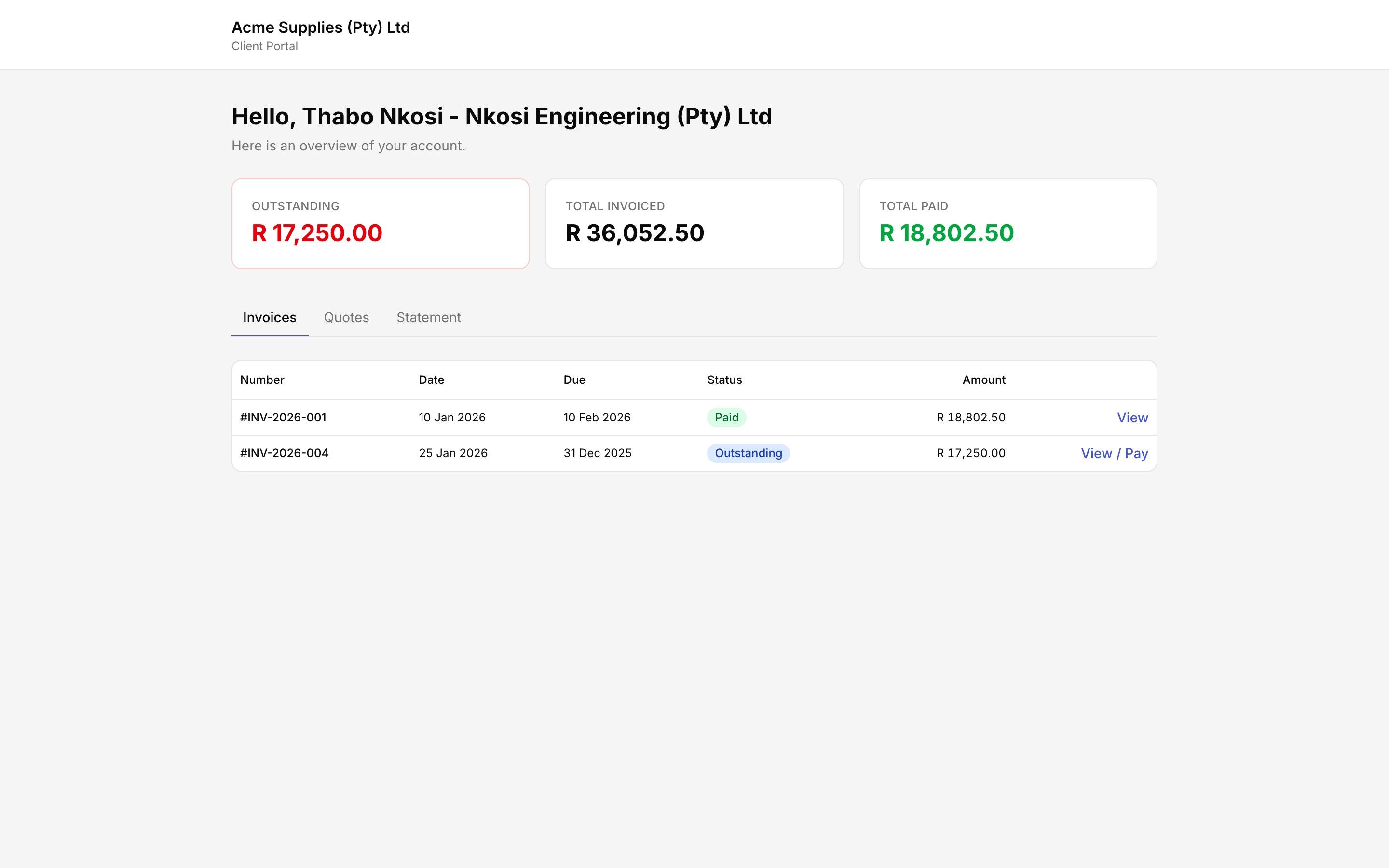
Every client gets a branded self-service portal with every invoice and quote in one place.
Does your business need a client portal?
What it replaces
"Can you resend the March invoice?" "Can you send me a statement of what we owe?" "I lost the payment link." Each takes a few minutes to answer. A business with twenty active clients fields several a week. With a portal the client answers them without you.
Who gets the most out of it
- Businesses with ongoing clients and several invoices over time
- Clients with accounts payable teams that reconcile before they pay
- Anyone sending recurring invoices, where the history matters
- Businesses that want the client-facing side to carry their own brand
A sole trader with one or two invoices a month will rarely need it. From roughly ten active clients it starts paying for itself in time.
How it gets you paid faster in South Africa
The default payment method here is still EFT: open the invoice, copy the banking details into a banking app, type a reference, authorise. That happens days after the invoice landed in a full inbox. A portal shortens the path in two ways. When a client opens an invoice there, a Pay Now button takes a card through Paystack, Yoco, PayFast or iKhokha, with nothing to copy. And because many South African clients pay in batches at month-end, the portal shows the whole outstanding balance in one view so their bookkeeper settles everything in a few clicks instead of asking for three separate PDFs.
POPIA
The Protection of Personal Information Act requires you to keep client details secure and to limit who can see them. A portal scoped per client does that by design: each link shows one client's own documents and nothing else. That is safer than forwarding PDFs and spreadsheets by email, where a document reaches the wrong inbox with one wrong click. Our POPIA checklist for invoicing covers the rest of your obligations.
Related reading: statements of account and statements in Rebill.
Quick answer
What is a client portal for invoicing?
A client portal is a secure, web-based page where your clients can view all their invoices and quotes, download statements, and make payments without needing to contact you or log in to a separate account. Each client gets their own portal link, making it a self-service billing experience that works 24 hours a day.
For South African small businesses, freelancers, and consultants, a client portal reduces time spent resending invoices and answering balance queries. It projects a more professional image and makes it easier for clients to pay promptly, since everything they need is in one place. Optional password protection keeps sensitive financial data secure, while POPIA-compliant data handling ensures your clients' information is protected under South African law. Rebill includes a branded client portal for every client on both the free and Premium plans. Read more above on what a client portal is and who needs one.
Frequently asked questions
What can clients do in the Rebill client portal?
Do clients need to create an account to use the portal?
Is the client portal included in the free plan?
Can I customise the portal with my brand?
Is the client portal secure and POPIA compliant?
Can my client see a statement in the portal?
Is a client portal the same as giving clients a login to my accounting software?
Do clients have to use the portal to pay?
Do clients need to download an app?
Explore more Rebill features
Give clients a portal. Cut the admin.
Every Rebill account includes a branded client portal. Your clients can view invoices, download statements, and pay online, without you lifting a finger.